
Academic Integrity
Although we do not have a standard Turnitin threshold for originality
reports that automatically trigger an investigation for plagiarism, high
originality score matches may be reviewed by academic integrity tutors.
They can access any Blackboard course area and any Turnitin submission.
Other reasons for investigation that are not related to the originality
score can include hidden text or replaced characters. These are flagged by Turnitin for further review.
Revealing Anonymous Submissions
If an anonymous submission has a very high originality match, you can reveal the identity of the user for the purposes of academic integrity. Sufficient reason must always be provided as to why student privacy has been breached.
* Each time an anonymous paper is revealed, the reason why it has been deanonymised before the release date as well as the identity of the person who revealed the paper is recorded and retained for audit purposes. This audit is periodically reviewed to ensure compliance with the UW assessment policy.
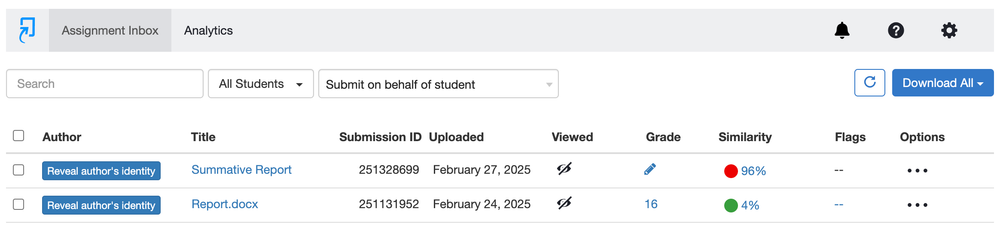
To reveal the identity of a student that has submitted an anonymous paper, from the Assignment Inbox click on the Reveal author's identity button:
Enter the reason you are deanonymising the paper in the short text field and click the blue Reveal button. You must only use this feature for legitimate purposes.
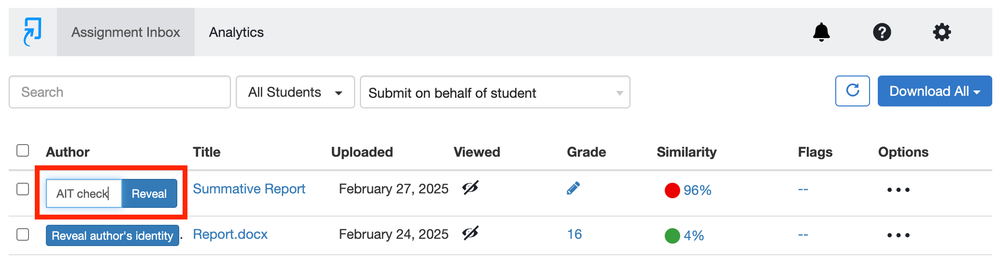
The name of the author will now be visible to all instructors.
Once a paper is deanonymised, it cannot be reset to be anonymous again!
Integrity Flags
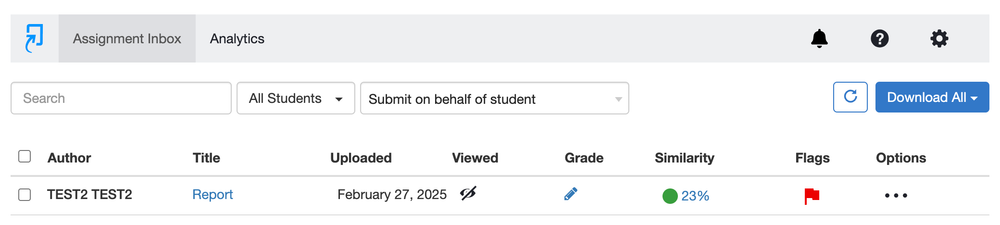
Submissions that have been identified by Turnitin as having anomalous text, which may be attempting to hide text manipulation will be highlighted in the Assignment Inbox with a red flag icon:
To investigate further, you can open the paper to see where the flag is located within the document:
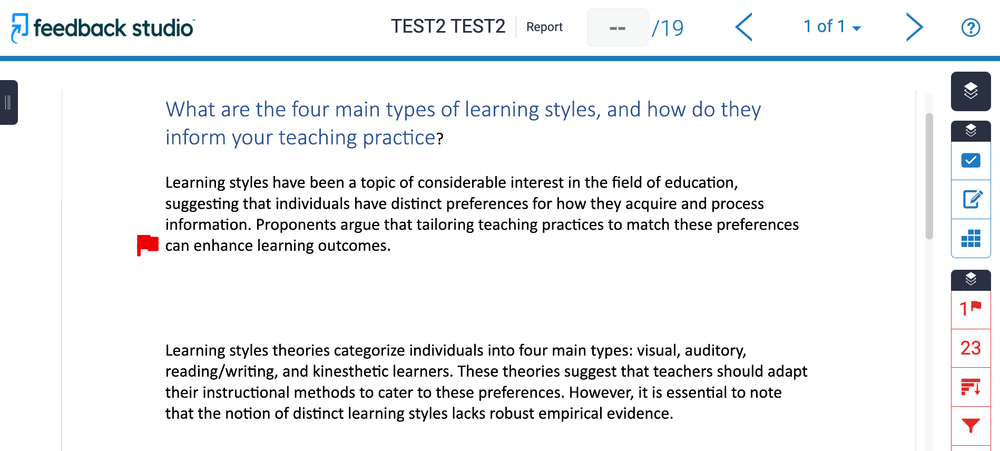
A flag does not necessarily indicate an attempt at plagiarism, just that a manual check may be required to ensure that the text is genuine.