Grading PebblePad
It is not possible to grade PebblePad assessments in Learn Ultra as the integration between these systems only handles the workspace enrolments and resource distribution. However, you can use the link to ATLAS which will be provided when the workspace is initially set up to open the Submissions page in a new tab. This will allow you to add grades and feedback to PebblePad assignments, and grades will be synchronised into the Learn Ultra Gradebook automatically.
Accessing ATLAS
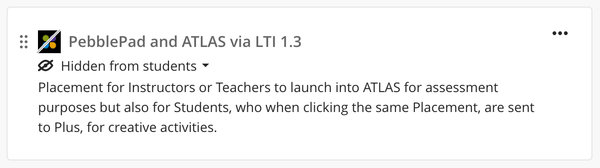
To access the ATLAS workspace, click on the PebblePad and ATLAS via LTI 1.3 item in the content page. This has the PebblePad logo on a black background and will be hidden for students when initially set up.
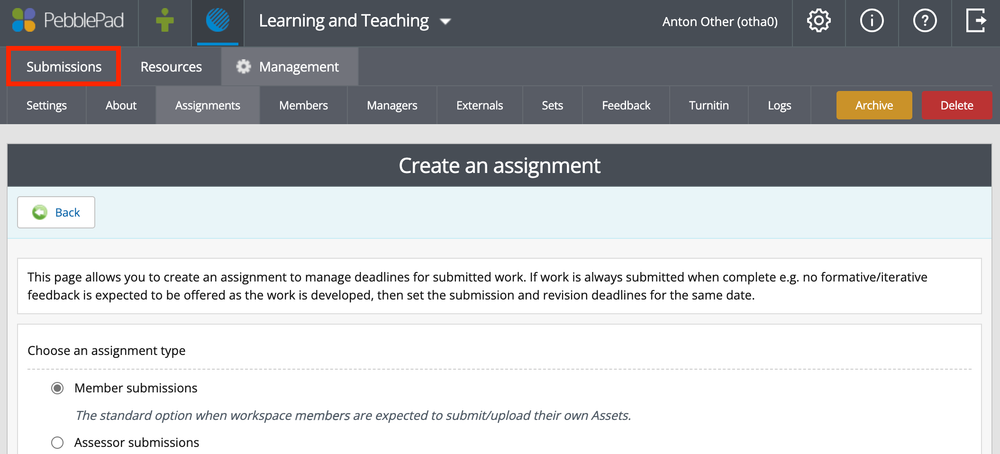
ATLAS will open in a new tab. Navigate to the Submissions tab:
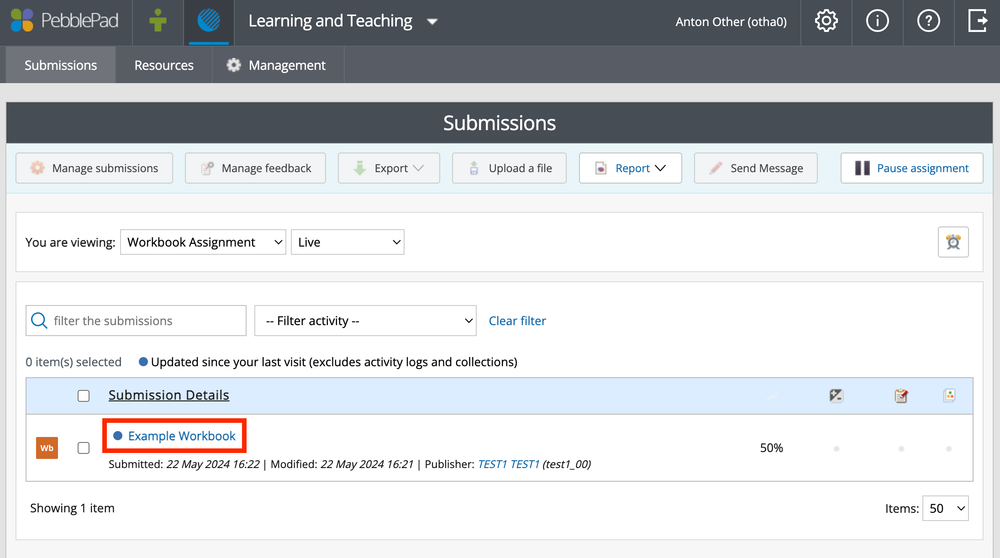
You will now be able to see all submissions for this assignment:
Grades and Feedback
From the Submissions page in ATLAS, click on the link to the submission you want to grade:
Add a Grade
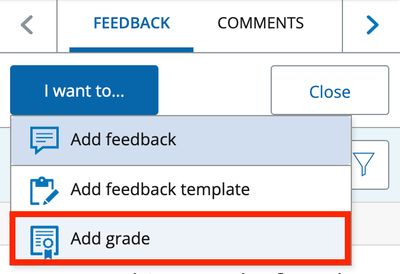
In the Feedback tab, click on the I want to... button in the top right of the page and choose Add grade:
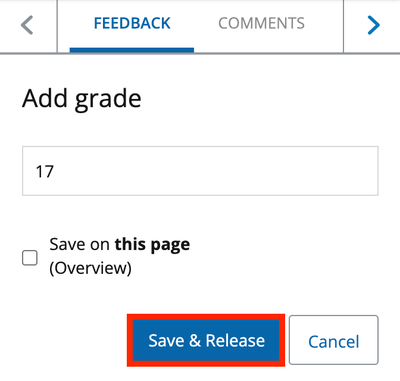
Enter a numeric grade from 0-19 and click the Save & Release button to post the grade to students:
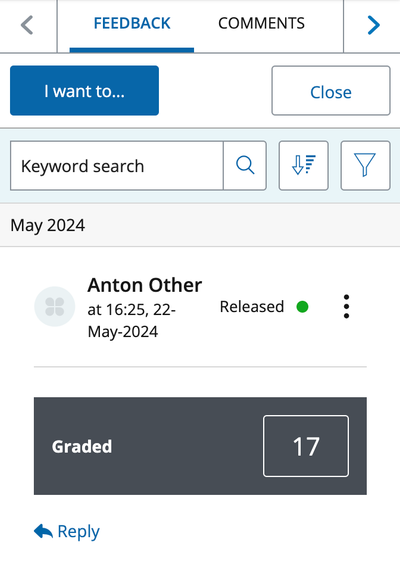
You will see a confirmation message that the grade has now been posted:
Add Feedback
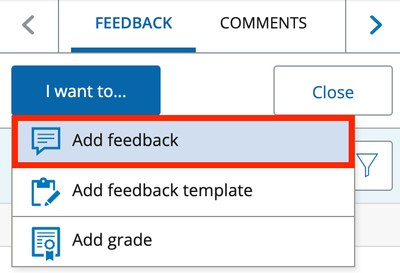
From the Feedback tab, choose Add feedback:
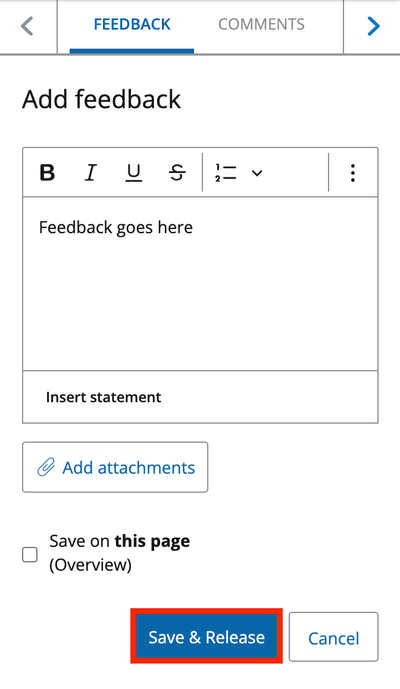
Type your feedback into the text editor and add any file attachments as needed. Click the Save & Release button when complete:
Grades In Learn Ultra
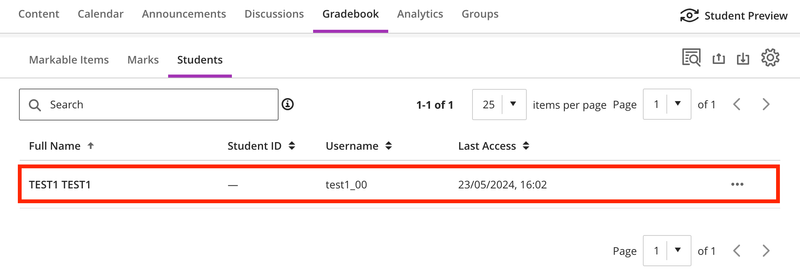
Grades will be automatically synchronised with Learn Ultra. To access these grades, navigate to the Gradebook and click anywhere on the row containing the student's name to view all of their grades for the course, including those imported from PebblePad:
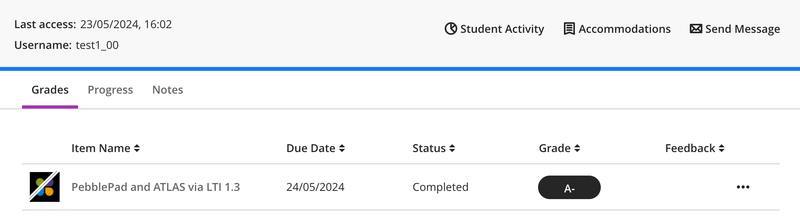
The PebblePad assessment will be visible, and will contain a letter grade.
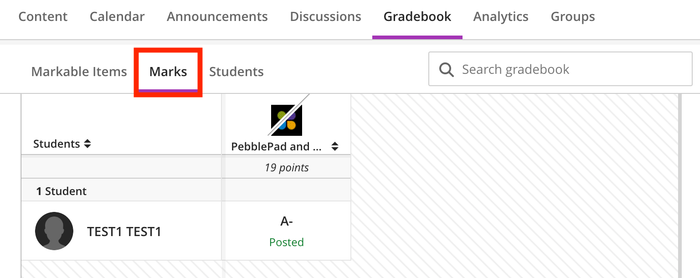
You can also view the grades for all enrolled students from the Gradebook by clicking on the Marks tab. This displays the total possible points score and the released grade as a letter, and confirms that the grade has been posted: