
Releasing Grades
The Learn Ultra tools that release grades to students are:
- Learn Ultra assignments
- Turnitin Assignments
- Tests
- Graded Discussions
- Graded Journals
You will find all assessments that have been graded and need to be released to students on the Gradebook Overview page in the Needs Posting section. Click one of the Post now buttons to release the grades for a particular assessment.
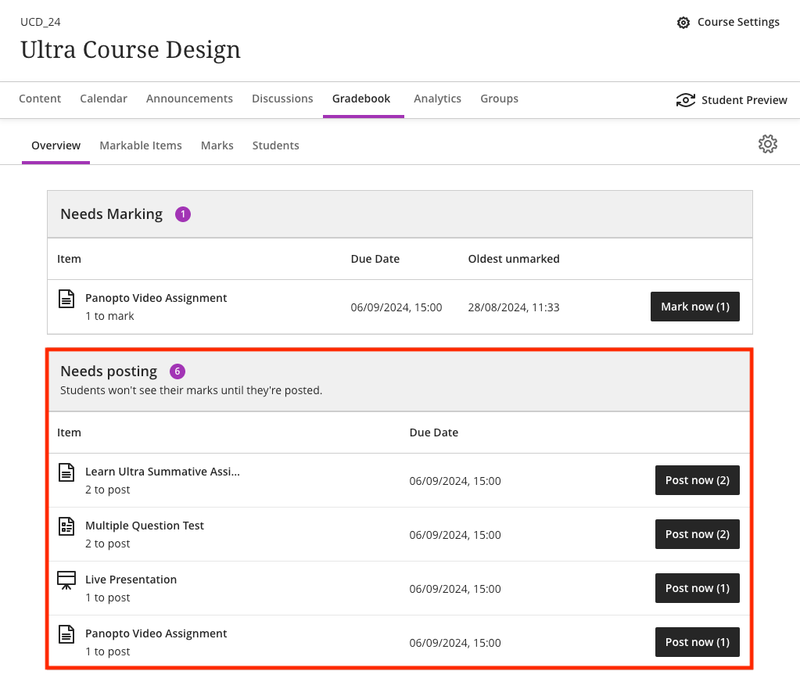
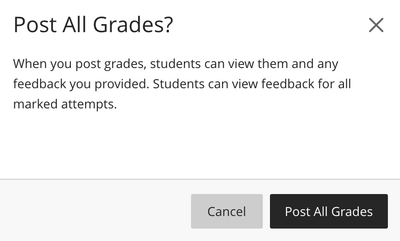
You will see a confirmation dialog to release the grades. Click the Post All Grades button:
Assignments
Learn Ultra does not automatically release assignment grades and feedback - this must be done manually. However, Turnitin Does release grades and feedback automatically because it is a third party integration with a known feedback release date.
Learn Ultra Assignments
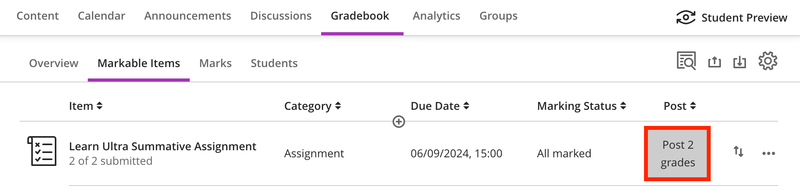
Once you have completed all of your grading and feedback, navigate to the Gradebook where you will see the assignment, ready to release. Click the Post Grades button to release all grades and feedback to students for that assignment.
You will see a confirmation dialog to release the grades. Click the Post All Grades button:
Turnitin Assignments
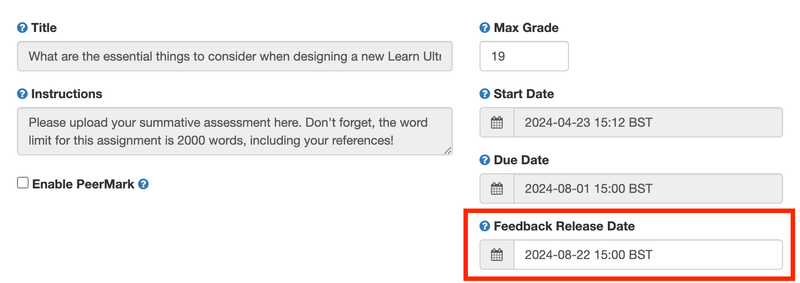
Turnitin Does automatically release grades and feedback on the Feedback and Release date, so you don't need to release these grades manually:
Grades will appear as a numerical value in Turnitin and as a letter grade in Learn Ultra.
Learn Ultra Tests
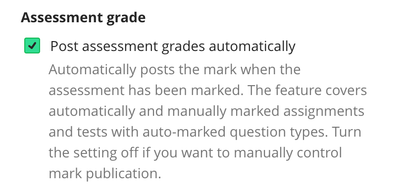
Tests can be set to automatically release in the Test Settings. In the Marking and Submissions section under Assessment grade, you have the option to Post assessment grades automatically. This is useful if you have set up self-marking tests as results can be released to students immediately after they complete it. However, you may wish to untick this option if you wish to manually review the test answers or grade essay question types.
Other Learn Ultra Graded Tools
Other tools such as graded Discussion Boards and Journals will also appear in the Gradebook like the other assessments. After you have completed grading them, click the Post grades button to release them to students.
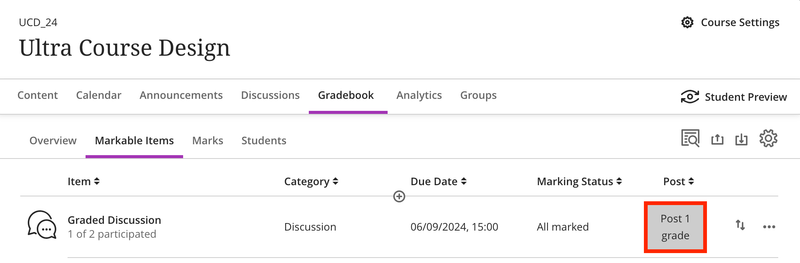
You will see a confirmation dialog to release the grades. Click the Post All Grades button: